


Managing your money effectively starts with knowing exactly where every dollar goes. If you are struggling to keep track of your daily spending, you are certainly not alone. Fortunately, smartphone technology has revolutionized personal finance, making it easier than ever to monitor your cash flow on the go. The best apps for managing your daily expenses streamline budgeting, categorize purchases automatically, and provide actionable insights into your spending habits without requiring hours of tedious manual bookkeeping.
In this comprehensive guide, we will explore the top-rated tools available today, examine their core features, and help you determine which application best aligns with your financial goals. Whether you want to curb impulse buying, save for a major purchase, or simply understand your monthly utility bills, the right digital companion can make all the difference.
📌 Key Takeaways
- The best apps for managing your daily expenses automate transaction tracking to save you time.
- Key features to look for include bank syncing, custom budgeting categories, and robust security protocols.
- Different apps cater to different styles, ranging from hands-off automated syncs to hands-on manual entry methods.
- Always verify current pricing, subscription models, and privacy policies before committing to a financial platform.
Table of Contents
Understanding Daily Expense Tracking Apps
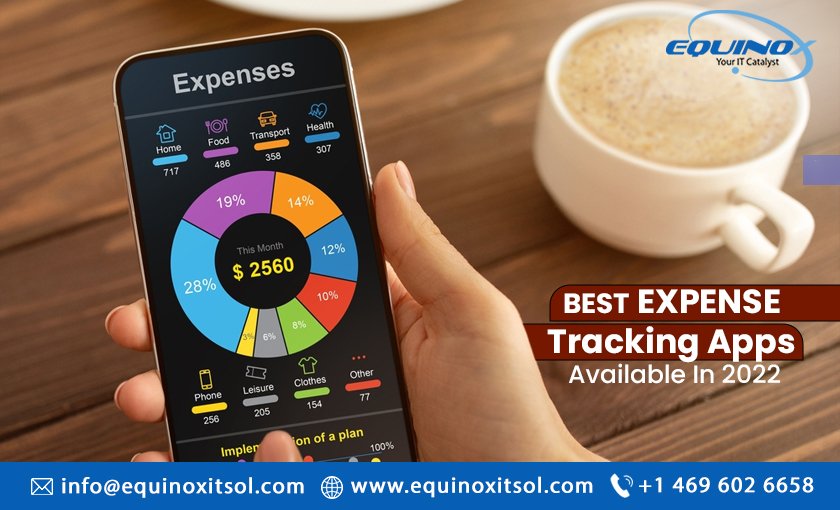
Before diving into specific software options, it helps to understand how these digital tools function within your broader financial ecosystem. Traditional budgeting often involved paper ledgers, desktop spreadsheets, or keeping every paper receipt in a shoebox. Today, modern mobile applications connect directly to your checking accounts, credit cards, and investment portfolios to provide a real-time snapshot of your net worth and daily spending.
These platforms generally fall into two categories: automated sync apps and manual entry apps. Automated apps link securely via secure protocols like Plaid, pulling your transactions in real-time. Manual apps require you to input every coffee, grocery run, and gas station visit yourself. While manual entry takes discipline, many users find that the act of actively typing in each expense builds a stronger psychological awareness of their purchasing decisions.
The Evolution of Digital Budgeting
Over the past decade, personal finance technology has shifted from clunky desktop installations to sleek, cloud-synced mobile experiences. Users now expect seamless cross-device compatibility, instant push notifications when bills are due, and intuitive visual charts that break down monthly spending by category.
Security and Data Privacy
A common concern when adopting these tools is data safety. Reputable financial platforms employ bank-level encryption, multi-factor authentication, and read-only access to your accounts. They do not store your actual banking credentials, ensuring that your sensitive information remains protected against unauthorized access.
Top Features to Look For in a Finance App
With hundreds of choices on the app store, identifying the features that matter most to you is essential. Not all applications are created equal, and what works seamlessly for a freelance worker might not suit a traditional W-2 employee with fixed monthly income.
1. Automated Bank Syncing
Automated syncing eliminates the friction of manual data entry. By linking your debit and credit cards, the app categorizes your transactions automatically. Look for platforms with high sync reliability and minimal lag time between when a purchase clears and when it appears in your feed.
2. Customizable Budget Categories
Every household has unique spending habits. The ability to create, rename, and split categories ensures that your budget reflects your actual lifestyle rather than a rigid template imposed by software developers.
3. Bill Reminders and Debt Tracking
Missing a payment can incur costly late fees and damage your credit score. Advanced expense managers include integrated calendar alerts for upcoming bills, subscription renewal warnings, and dedicated debt pay-off calculators.
Comprehensive Comparison of Popular Expense Apps
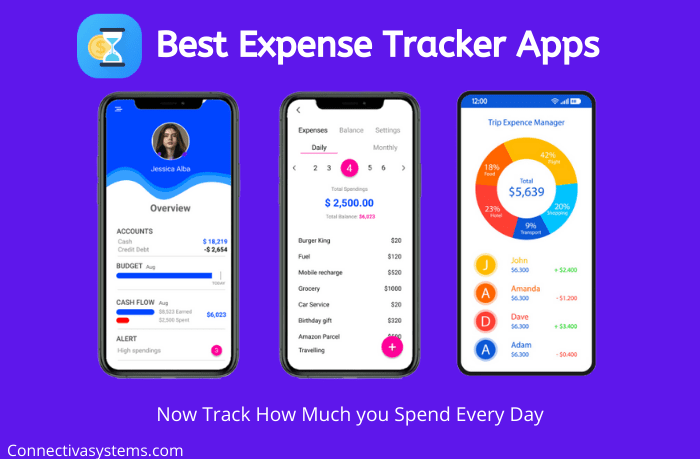
To help you narrow down your choices, let us examine a structured comparison of leading applications currently dominating the market. Please note that subscription costs, free trial periods, and feature sets can change over time, so it is wise to verify current details on official websites.
| App Name | Primary Strength | Sync Type | Pricing Model |
|---|---|---|---|
| YNAB (You Need A Budget) | Zero-based budgeting & habit building | Automatic & Manual | Annual Subscription (Free Trial) |
| PocketGuard | “In My Pocket” spendable cash calculation | Automatic | Free tier available / Premium upgrade |
| Goodbudget | Envelope system methodology | Manual (Sync available on paid tier) | Free tier / Paid monthly or annual |
| Spendee | Multi-currency support & visual charts | Automatic & Manual | Free tier / Premium subscription |
As illustrated in the table above, your choice depends heavily on whether you prefer proactive zero-based budgeting, passive automated tracking, or a digital adaptation of the classic cash envelope system.
How to Choose the Right App for Your Lifestyle
Selecting the best tool requires an honest assessment of your financial habits and technological comfort level. Follow these practical steps to make an informed decision:
- Evaluate your goals: Determine if your primary objective is debt reduction, aggressive saving, or simply monitoring where your paycheck disappears each month.
- Test free trials: Most premium platforms offer a 14-day or 30-day free trial. Test the user interface to ensure it feels intuitive and fast.
- Assess your patience for setup: If linking multiple bank accounts feels overwhelming, start with a simpler manual app or a platform known for straightforward onboarding.
- Review export options: Ensure the software allows you to export your data into CSV or Excel formats if you ever decide to switch providers or analyze your data offline.
By taking a methodical approach, you can avoid subscription fatigue and stick with a financial management tool that genuinely improves your fiscal health.
Frequently Asked Questions
Are expense tracking apps safe to use?
Yes, reputable apps use high-grade security measures like 256-bit SSL encryption and read-only access. They do not store your banking login credentials, ensuring your money remains secure.
Do I have to pay for a good budget app?
While many excellent applications offer robust free tiers, premium apps often provide advanced automation, unlimited category customization, and direct bank syncing for a subscription fee.
Can I sync multiple bank accounts and credit cards?
Most modern expense trackers allow you to link multiple checking, savings, credit card, and investment accounts in one centralized dashboard.
Is manual entry better than automatic syncing?
Automatic syncing saves time and reduces friction, whereas manual entry encourages deeper mindfulness and psychological awareness regarding daily purchases.
What should I do if my bank account won’t sync?
If an account fails to sync, try refreshing your connection through your account settings or contact the app’s customer support. Temporary bank server outages are common and usually resolve within a few hours.
Conclusion
Taking charge of your personal finances does not have to be an overwhelming chore. By leveraging the best apps for managing your daily expenses, you can automate tedious record-keeping, gain clear visibility into your spending patterns, and make confident financial decisions. Remember to evaluate your unique needs, test out a few different platforms, and always verify current pricing and security features directly with the provider. Start small, stay consistent, and watch your financial confidence grow.